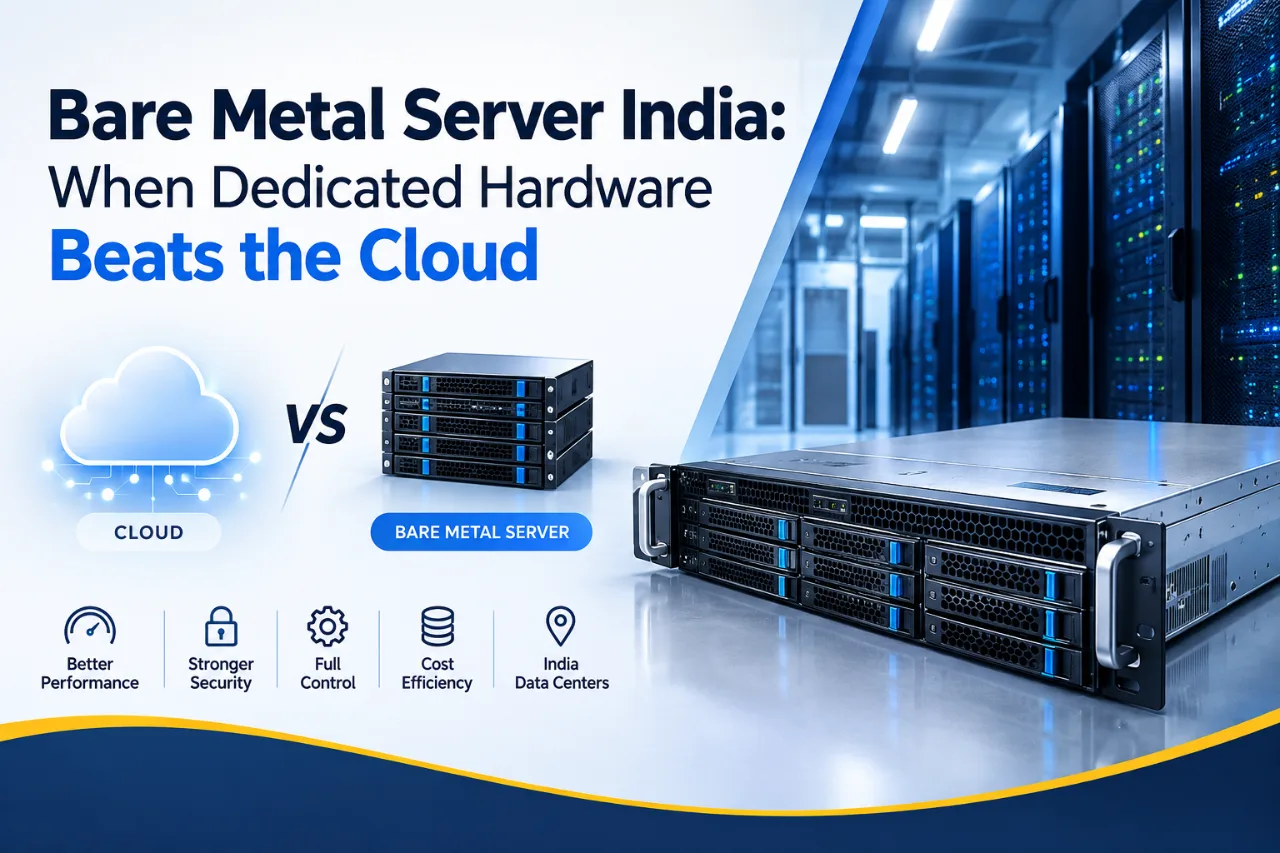
There is a quiet migration happening in Indian infrastructure teams. Workloads that moved to cloud instances five years ago are moving back to physical machines — not out of nostalgia, but because the arithmetic changed. Sustained workloads on metered cloud got expensive, per-core software licences got stricter, and data-residency questions got harder to wave away.
This guide is for the person weighing that decision. It covers what "bare metal" actually means and how it differs from the dedicated servers you already know, where the performance difference is real and where it is marketing, how to work out your own cloud-versus-metal break-even point, which specifications matter in India specifically, and the day-one checklist most providers never send you.
We operate our own data centres in Mumbai and Noida, so we sell bare metal. We have still included the section on when you should not buy it.
Quick answer: should you run on a bare metal server in India?
Choose a bare metal server in India when your workload runs at consistently high utilisation, needs predictable low-latency performance, carries per-core software licences, or must sit on physically single-tenant hardware for compliance. A bare metal server is one physical machine allocated entirely to you — no hypervisor, no neighbours, full hardware access. For steady 24×7 workloads it typically costs less than equivalent cloud compute. For spiky or short-lived workloads it usually costs more.
What is a bare metal server?
A bare metal server is a single physical machine dedicated to one customer, with no virtualisation layer between your operating system and the hardware. You get the whole CPU, all the RAM, the physical disks, and direct control over firmware, RAID configuration and the operating system you install.
The name is literal. On a cloud instance, your OS talks to a hypervisor, which talks to hardware shared with other tenants. On bare metal, your OS talks to the metal.
Is a bare metal server the same as a dedicated server?
Physically, yes — the difference is in how it is delivered and billed, not what it is. Both are one physical machine for one customer. In common industry usage:
| Traditional dedicated server | Bare metal server | |
|---|---|---|
| Hardware | Single physical machine | Single physical machine |
| Provisioning | Manual build, often 24–72 hours | Automated, often under an hour on stock configurations |
| Billing | Monthly or annual contract | Monthly, sometimes hourly or usage-based |
| Management | Control panel or support tickets | API, plus control panel |
| Typical framing | "Hosting product" | "Cloud-adjacent infrastructure" |
If a provider offers dedicated servers with API-driven provisioning and flexible billing, they are selling bare metal by any reasonable definition. Do not let the vocabulary distract you — ask about provisioning time, billing terms and API access, and you will know exactly what you are buying regardless of what the page calls it.
How is bare metal different from a VPS or a cloud instance?
| Bare metal | VPS | Cloud instance | |
|---|---|---|---|
| Tenancy | Single tenant, physical | Multi-tenant, isolated allocation | Multi-tenant, isolated allocation |
| Hypervisor overhead | None | Yes | Yes |
| Performance consistency | Highest | Good | Variable under contention |
| Hardware control | Full — RAID, firmware, BIOS | None | None |
| Scaling | Add or replace hardware | Plan upgrade, short reboot | Near-instant, elastic |
| Best for | Sustained heavy load, licensed software, compliance isolation | Small to mid applications | Spiky, elastic, short-lived workloads |
If you are earlier in that progression, our guide to VPS hosting in India covers the tier below this one.
Why are Indian businesses moving workloads back to bare metal?
Three forces, and only one of them is performance.
What is the virtualisation tax, and what does it cost you?
The virtualisation tax is the performance you lose to the hypervisor and to competition with other tenants on the same physical host. It shows up in three ways:
- Hypervisor overhead. A small, constant CPU and memory cost for the virtualisation layer itself. On modern hardware this is genuinely modest, often low single-digit percentages for typical workloads.
- CPU steal time. Time your virtual CPU was ready to run but the physical CPU was busy serving another tenant. On Linux this is the st column in top and vmstat. If you see sustained steal time above a few percent on your current cloud instance, you have a measurable, documentable case for moving to metal.
- Latency jitter. The one that actually hurts. Averages look fine; the 99th percentile does not. For a database, a trading system or a real-time API, tail latency is the number your users feel.
Be sceptical of anyone quoting a fixed "bare metal is X% faster" figure. The honest answer is that the average gain is often small and the consistency gain is often large. Measure your own p99, not someone else's benchmark.
How does per-core licensing change the maths?
This is the reason most CFOs eventually agree to bare metal, and it is badly under-discussed.
Microsoft licenses Windows Server per physical core, with a minimum of 16 cores per server and 8 per processor. SQL Server is also licensed per core, with a minimum of 4 cores per processor. Oracle and several other enterprise products use similar core-based models.
The consequence: on licensed workloads, fewer and faster cores usually cost far less than many slower cores. A 16-core server with high clock speeds can carry a lower licence bill and better single-thread performance than a 32-core machine while doing the same amount of work for a transactional database. On a cloud instance you often cannot choose that trade-off. On bare metal you specify it at order time.
Licensing terms change and vary by edition and agreement. Confirm your position against current Microsoft licensing documentation or your reseller before sizing.
What does single tenancy actually do for compliance?
It does not make you compliant. It removes an entire category of awkward audit questions.
- CERT-In directions (28 April 2022) require service providers, intermediaries, data centres and cloud providers to report notified cyber incidents within six hours, retain ICT system logs for a rolling 180 days within Indian jurisdiction, and synchronise system clocks to NIC or NPL time sources.
- RBI's 2018 directive on Storage of Payment System Data requires payment system data to be stored only in India.
- The DPDP Act, 2023 was operationalised when the DPDP Rules, 2025 were notified on 13 November 2025, with obligations phasing in over the following 18 months.
None of these mandates bare metal. But when an auditor asks who else runs on the physical host, whether your data has ever shared memory with another tenant, or exactly which rack in which building holds the disk — "nobody, no, and this one" is a much shorter conversation than the multi-tenant equivalent. For BFSI, healthcare and regulated fintech workloads, that shortness has real value.
This is general information, not legal advice. Confirm your specific obligations with a qualified advisor.
Who should be running on bare metal in India?
- Production databases under sustained load — MySQL, PostgreSQL, MSSQL, MongoDB. Direct NVMe access and no steal time is exactly what a busy database wants.
- Licensed enterprise software where the licence is priced per core.
- Virtualisation hosts. Running your own VMware, Proxmox or KVM cluster on hardware you control, so you capture the consolidation savings rather than paying someone else's margin on them.
- Kubernetes clusters where you want control over the node layer rather than paying a managed-service premium.
- BFSI, healthcare and regulated workloads with single-tenancy requirements.
- High-traffic e-commerce and media platforms with steady baseline load, where cloud metering has become the largest line item.
- AI and ML training or inference needing dedicated GPUs.
- Game servers, VoIP and real-time systems where tail latency and jitter determine user experience.
- Anything you have already right-sized on cloud and still find expensive. If you have optimised and the bill is still high, the pricing model is the problem, not your configuration.
When does bare metal beat cloud on cost?
The general rule: bare metal wins on sustained, predictable load; cloud wins on variable or short-lived load. The crossover usually sits around continuous utilisation of a resource you would otherwise rent around the clock, but the only number that matters is yours. Work it out in four steps:
- Take your steady-state cloud bill for the workload in question — compute, block storage, and crucially egress bandwidth, which is frequently the hidden majority of a cloud invoice.
- Price the equivalent bare metal, matched on real cores rather than vCPUs. Two vCPUs commonly represent one physical core with SMT, so a 16-vCPU instance is often an 8-core machine.
- Add the operational costs bare metal does not include — managed services you would lose, the engineering hours to run your own database or load balancer, and the cost of designing your own redundancy.
- Add a redundancy line. A single bare metal server is a single point of failure. Honest maths compares cloud against two servers plus failover, not one.
Step 4 is the one people skip, and it is why some bare metal migrations disappoint. If your comparison only works with a single machine and no failover, you have not compared like with like.
A useful shortcut: if the workload runs at high utilisation for more than about 12 hours a day, every day, bare metal deserves a serious costing. If it is bursty, seasonal or unpredictable, elastic cloud servers will very likely stay cheaper.
What should you check before you buy a bare metal server?
Which CPU should you choose — more cores or faster cores?
Match the CPU to the workload's concurrency profile, not to the core count on the spec sheet.
| Workload type | What to prioritise | Why |
|---|---|---|
| Transactional database (OLTP) | High clock speed, fewer cores | Query latency is largely single-thread bound; licences are per core |
| Web and application servers | Balanced cores and clock | Concurrency across many independent requests |
| Virtualisation host | High core count, high RAM | You are consolidating many small guests |
| Analytics, batch, rendering | High core count | Genuinely parallel work |
| Game servers, real-time | Highest clock speed available | Tick rate is single-thread sensitive |
For latency-sensitive and licence-heavy workloads, high-frequency platforms often deliver more useful throughput per rupee than a higher core count at lower clocks. Also check the CPU generation — a two-generation-old Xeon at a tempting price can be a poor deal once you account for per-core performance and power draw.
Other specifics worth confirming before you order:
- RAM type, speed and channel population. Under-populated memory channels quietly cost bandwidth on memory-heavy workloads. Ask how the DIMMs are actually distributed, not just the total GB. ECC should be standard on any server-grade build.
- Out-of-band management. IPMI, iDRAC or iLO access is non-negotiable. Without it, a kernel panic at 3 AM means a support ticket instead of a console.
- Hardware replacement SLA. How fast is a failed disk or PSU replaced, and does the provider stock spares on site? This is the single most important SLA clause on a bare metal contract, and the one buyers most often skip.
What storage and RAID configuration do you need?
- NVMe over SATA SSD for anything database-backed. The IOPS and latency difference is substantial, not marginal.
- Hardware RAID versus software RAID. Hardware RAID with a battery- or flash-backed write cache helps write-heavy workloads. Software RAID (mdadm, ZFS) offers more flexibility and better visibility. Either is defensible — a single disk with no redundancy is not.
- RAID 1 for OS, RAID 10 for databases is the sane default. RAID 5 on large modern drives carries a real rebuild-window risk and is worth avoiding for anything you cannot afford to lose.
- RAID is not backup. It survives a disk failure. It does not survive a deletion, a ransomware event or a corrupted table. Budget separate backup storage from day one.
What network and DDoS protection should you expect?
- Uplink speed, and whether it is dedicated or shared. 1 Gbps dedicated behaves very differently from 10 Gbps shared with a full rack.
- Bandwidth allowance and overage behaviour. Metered by transfer, or unmetered at a port speed? What happens when you exceed it?
- DDoS mitigation — is it included, at what capacity, and is it always-on or triggered? An India-hosted server with no mitigation is a target with good latency.
- IP allocation. How many IPv4 addresses are included, what do extras cost, and is IPv6 available?
- Private networking, if you plan to run more than one machine. Ask whether inter-server traffic on a private VLAN is free.
What about GPU bare metal servers for AI workloads in India?
GPU workloads are the strongest current argument for bare metal in India, because virtualising accelerators adds overhead and complexity that training and inference workloads simply do not benefit from.
Domestic demand is real and policy-backed. Under the IndiaAI Mission, the government has built a shared national compute pool with private partners; PIB reported empanelled capacity crossing 34,000 GPUs, and subsequent reporting has put the figure higher still. Whatever the exact number today, the direction is unambiguous: Indian teams increasingly expect to train and serve models on Indian infrastructure rather than shipping data abroad.
For a business evaluating GPU bare metal, the practical questions are:
- Rent or own? Hourly GPU cloud suits experimentation and bursty training runs. Dedicated GPU hardware wins once you are running near-continuously — the same utilisation logic as CPU bare metal, with a much larger absolute number attached.
- Which GPU class? Inference, fine-tuning and workstation-class rendering have very different requirements from large-scale training. Do not buy training-class hardware for an inference workload.
- Power and cooling. GPU nodes draw far more per rack unit than standard servers. Ask any provider what power density their facility supports per rack — this is the constraint that quietly determines whether they can actually host what they are selling you.
- Data residency. If your training data is personal data of Indian users, keeping it in India materially simplifies your DPDP position.
Our NVIDIA RTX PRO 4000 Blackwell GPU servers run from our Noida facility for exactly this class of workload.
Where should your bare metal server sit — Mumbai or Noida?
Pick the hub closest to your users and your team; for most workloads the intra-India latency difference is small. Mumbai carries the majority of India's operational data centre capacity, driven by its submarine cable landing stations, and is the natural choice if you serve western and southern India or route international traffic. Delhi-NCR, including Noida, anchors the north and suits organisations with NCR offices, northern user bases, or a preference for proximity when audits and site visits come up.
Two factors matter more for bare metal than they do for a VPS:
- Power density per rack, which determines whether high-core-count or GPU configurations are even possible in that facility. A rack rated for standard enterprise load cannot host a dense GPU node, whatever the sales page says.
- Remote hands availability. When you own the hardware profile, occasionally someone has to physically touch it. Ask about response times for on-site intervention, not just ticket response.
Our own infrastructure runs from both Mumbai and Noida. Other Indian cities are served from these two facilities rather than from local data centres — worth knowing whenever any provider advertises a long list of "locations".
How much does a bare metal server cost in India?
Entry-level single-socket bare metal typically starts in the ₹6,000–₹15,000 per month range, mid-range dual-socket configurations sit around ₹18,000–₹40,000, and high-core-count or GPU-equipped machines run substantially higher. Add 18% GST.
Price is driven by five things, roughly in order of impact:
- CPU generation and core count — the largest single factor
- RAM capacity
- Storage type and quantity — NVMe carries a clear premium over SATA
- Bandwidth allowance and port speed
- Add-ons — extra IPv4, managed services, backup storage, DDoS protection tiers, control panel licences
Costs buyers routinely forget to include:
- Setup or provisioning fees on custom configurations
- Control panel and OS licensing, cPanel and Windows Server in particular
- Backup storage, which is separate infrastructure, not a checkbox
- Contract length — annual commitments usually price better, but confirm the exit terms
- The second server, if you actually need redundancy
A machine that looks cheaper than cloud on the compute line often is not, once backup, redundancy and management are added. Compare complete architectures, not line items.
Can you get a managed bare metal server?
Yes, and it is the right choice if you want dedicated hardware without owning the sysadmin work. On an unmanaged bare metal server you are responsible for the operating system, patching, stack configuration, RAID monitoring, backups and recovery. The provider handles hardware, power, network and replacement.
A managed plan moves the OS layer and monitoring back to the provider. The honest way to decide is the same as with any managed service: estimate the hours a month it will take your team, and what those hours are worth. If your organisation has no server person and no budget for one, unmanaged bare metal is a risk rather than a saving.
How do you buy and commission a bare metal server?
- Profile the workload first. Peak and sustained CPU, RAM working set, IOPS and egress volume. Guessing at this stage is where the money is lost.
- Decide the redundancy model before the spec. One server, two with failover, or a cluster? This changes the budget more than any component choice.
- Confirm who owns the hardware. Ask which city and which facility. A provider that owns its racks can name the building; a reseller usually cannot.
- Specify CPU by workload profile, not by core count.
- Get the SLA in writing, specifically hardware replacement times, network uptime, and how credit is claimed.
- Confirm provisioning time and out-of-band access are included before you pay.
- Plan the migration and the rollback. Run parallel, cut over during low traffic, and keep the old environment alive until you have watched the new one through a full weekly cycle.
What to do on day one with a new bare metal server
Bare metal gives you more control than a VPS, which means more that is yours to secure. Beyond the usual OS hardening — SSH keys, firewall, fail2ban, automatic security updates — bare metal has its own checklist:
- Change every default credential, including the BMC/IPMI password. Default IPMI credentials are among the most reliably exploited things on the internet.
- Put IPMI on a private VLAN or behind a VPN. An out-of-band management interface exposed to the public internet is effectively a spare key under the mat.
- Update firmware and BIOS before the machine goes into production, not after. Doing it later means a maintenance window you will not want to take.
- Verify the RAID array is healthy and configure alerting on it. A degraded array nobody is monitoring is a disk failure waiting to become data loss.
- Enable SMART monitoring on every drive. Disks usually warn you before they fail, but only if something is listening.
- Set timezone to IST and sync NTP to NIC or NPL time sources, aligning with the CERT-In clock-synchronisation direction and making your logs forensically usable.
- Test out-of-band access before you need it. Reboot the machine through IPMI once, deliberately, while nothing is running on it.
- Configure backups off the machine, and restore one file. An untested backup is a hypothesis, and on single-tenant hardware there is no platform-level snapshot quietly saving you.
- Document the hardware runbook. Who do you contact for a failed disk, what is the SLA, and what is your failover procedure? Write it while calm.
When is bare metal the wrong choice?
- Variable or seasonal traffic. Paying for peak capacity 24×7 to serve a four-hour daily spike is the classic bare metal mistake.
- Small workloads. If your application fits comfortably in 8 GB of RAM, a VPS or cloud server will cost a fraction and serve you just as well.
- Early-stage products with unknown load. Buy flexibility while you are still learning your traffic shape. Commit to hardware once the shape is stable.
- No appetite for infrastructure ownership. Bare metal means you own the OS, the patching, the RAID monitoring and the failover design. Without in-house capability or a managed plan, that responsibility becomes risk.
- Genuine need for instant global scale. If you need to spin up capacity in six regions this afternoon, that is a cloud problem, not a hardware one.
Why choose Webyne Data Centre for bare metal in India
We operate our own facilities in Mumbai and Noida. The machine you rent is hardware we own, in a building our engineers work in — not capacity leased from a third party and resold with a markup. For bare metal specifically, that matters more than for any other product, because when a disk fails at 2 AM, the question is whether the person who can replace it works for the company you bought from.
What that means practically:
- Single-tenant physical hardware in a named Indian city, not a vague "India region"
- Configurations specified to your workload, including high-frequency CPU options and NVMe storage
- Out-of-band IPMI access, so you keep control when the OS does not
- GPU-capable infrastructure in Noida for AI and rendering workloads
- INR billing with GST invoices for input tax credit, and support in IST
- A path in both directions — start on Cloud VPS, move to dedicated servers as load grows, without changing vendors
Not sure whether your workload justifies a full machine? Send us your current utilisation figures and we will tell you honestly, including when the answer is that you do not need one yet.
Key takeaways
- Bare metal and dedicated servers are the same hardware, differentiated by provisioning speed, billing flexibility and API access. Ask about those three things rather than arguing about the label.
- The real performance gain is consistency, not raw speed. Check CPU steal time and p99 latency on your current setup — that is your evidence.
- Per-core licensing often decides the business case. For SQL Server and similar products, fewer faster cores can cost dramatically less than many slower ones.
- Single tenancy shortens compliance conversations under CERT-In, RBI and DPDP obligations, without being a substitute for compliance work.
- Bare metal wins on sustained load, cloud wins on variability. Cost your own break-even, and include redundancy on both sides of the comparison.
- The hardware replacement SLA is the clause that matters most. Check it before the price.
- Secure IPMI on day one. Change defaults, keep it off the public internet, and test it before you need it.
- RAID is not backup. Budget separate backup storage from the start.
Final word
Bare metal is not a step backwards from cloud, and it is not automatically better. It is a different pricing and control model that fits a specific shape of workload: steady, demanding, licence-heavy, or bound by rules about where data physically lives.
The decision comes down to honest arithmetic. Measure your real utilisation, price both architectures with redundancy included on each side, and check what your software licences actually cost per core. If the numbers favour metal, they will favour it clearly — and if they do not, you have saved yourself a migration.
If you would like a second opinion before committing, talk to our team with your current utilisation figures and workload profile. We would rather size you correctly than sell you a machine you will underuse.